Optical disc data recovery utility
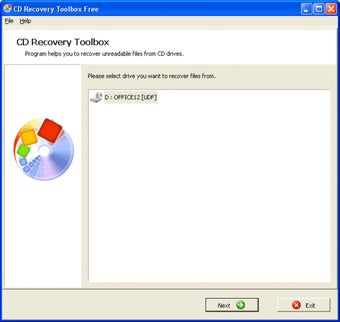
CD Recovery Toolbox is a data recovery program designed to retrieve files from damaged or unreadable optical discs such as CDs, DVDs, and Blu-ray media. It scans disc surfaces for readable sectors and attempts to reconstruct files that standard file explorers cannot access due to scratches, corruption, or incomplete sessions.
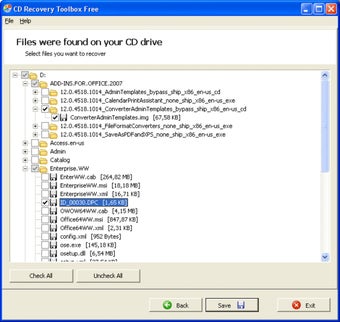
CD Recovery Toolbox focuses on recovering common file systems used on optical media, including ISO 9660 and UDF. The software provides a guided recovery process that allows users to preview available files and choose specific items for extraction. It is primarily intended for individual recovery tasks rather than continuous or enterprise-level use.
Efficient optical disc restoration
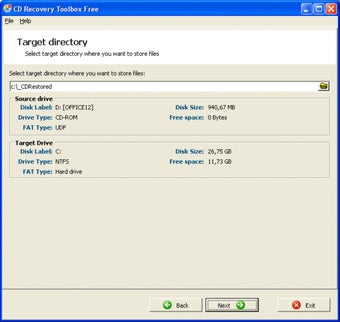
CD Recovery Toolbox supports recovery from data CDs, video DVDs, and multisession discs affected by physical damage or read errors, but its scope is limited strictly to optical media. It allows users to copy readable data to a local drive while skipping damaged sectors to prevent process interruptions. However, the software offers no support for hard drives or USB media, reducing its usefulness for broader data recovery needs.
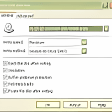
The software includes options for manual read settings, enabling users to adjust sector retries and reading speed to improve recovery results. It also provides a straightforward overview of recovered files. However, it has limited advanced recovery options and can only achieve partial recovery for severely damaged discs, lacking the more robust diagnostics or repair tools found in professional-grade recovery software.
Alternatives such as IsoBuster offer more advanced optical media analysis and professional-grade recovery features, while AnyBurn combines basic recovery with disc burning functionality. In comparison, this software stands out for its simplicity and lightweight design, making it easy for users to quickly restore files from optical discs. Its focused approach allows efficient file recovery without overwhelming beginners with complex options, providing a practical solution for everyday use.
Simple and reliable recovery
CD Recovery Toolbox is a practical and user-friendly utility for recovering files from scratched or partially unreadable optical discs. It performs best for straightforward recovery tasks and personal use, particularly when only specific files need to be retrieved. Although it cannot replace professional data recovery software, it provides a dependable and accessible option for basic optical disc recovery, making it suitable for occasional or home users seeking quick results.